

More Than Translating the Words
I was sitting in a cafe in Madrid last year, trying to show a client a landing page I’d built for their international launch, only to realize the “localized” version was just a Google Translate job that had completely butchered the call-to-action. It wasn’t just the clunky phrasing; it was the fact that the button text was now twice as long, breaking the entire layout and making the page look like a broken amateur site. Most people think learning how to localise a bio page is just about swapping English for Spanish, but if you aren’t thinking about character counts, cultural context, and loading speeds, you aren’t localizing—you’re just decorating with errors.
I’m not here to sell you on expensive translation agencies or some “growth-hacking” magic that doesn’t work on a slow mobile connection. I want to show you the practical, slightly boring stuff that actually moves the needle: how to handle text expansion without breaking your design, why your links need to be culturally relevant, and how to ensure your value proposition doesn’t get lost in translation. We are going to focus on making your bio page actually functional for a global audience, one line of code at a time.
Table of Contents
Why Translation Fails at Multilingual Profile Optimization

Most people think localization is just a matter of swapping English for Spanish using a translation tool and calling it a day. It isn’t. If you just run your bio through a translator, you aren’t actually doing multilingual profile optimization; you’re just creating a digital version of a bad translation textbook. I’ve seen it happen a dozen times: a professional profile that sounds confident in London suddenly sounds incredibly arrogant or strangely passive when read in Tokyo. You lose the “vibe” of your personal brand because you ignored the language nuances in personal storytelling.
The real failure happens when you ignore the context behind the words. A bio that works in a high-energy, “hustle-culture” market might completely tank in a region where professional modesty is the standard for building trust. This is where cultural adaptation for personal branding becomes the difference between a click and a bounce. If your translated page feels like it was written by a robot that doesn’t understand local social cues, people won’t just ignore you—they won’t trust you. You can have the fastest loading speed in the world, but if your tone feels “off,” you’ve already lost the connection.
Prioritizing Speed Over Useless Regional Fluff
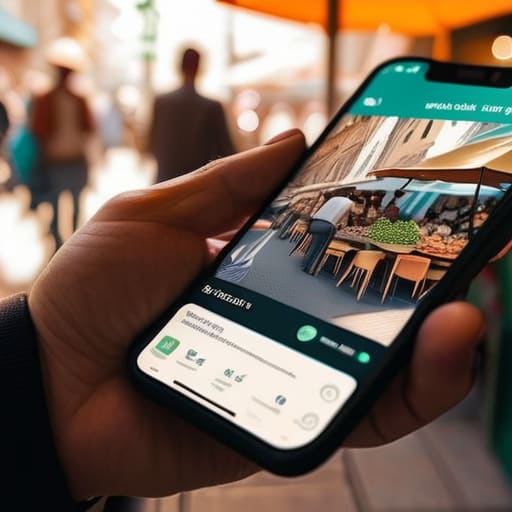
I’ve seen too many people try to “go global” by loading their bio pages with heavy, high-resolution images of local landmarks or massive, uncompressed video backgrounds meant to signal “cultural relevance.” Here is the reality: if your page takes five seconds to load on a mobile connection in a different time zone, no one is going to stay long enough to appreciate your local flair. Most people forget that multilingual profile optimization isn’t just about the words; it’s about the technical weight of those words and the assets behind them.
When you are adapting professional bios for global markets, your priority should be a lean, fast-loading structure that respects the user’s bandwidth. I don’t care if you have a beautiful, localized hero image if it’s a 5MB file that kills your bounce rate. Instead of adding “regional fluff,” focus on clean code and lightweight assets. If you want to show you understand your audience, do it through sharp, concise copy that respects their time, not through heavy decorations that make your site crawl. A fast, functional page in Spanish will always outperform a slow, “culturally immersive” page in English that refuses to load.
Five ways to stop making your localized pages a mess
- Don’t just swap the words; swap the context. If your bio says you’re a “Growth Hacker” in a market where that sounds like a scam or a tech glitch, you’ve lost the click. Use the job title people actually type into a search bar in that specific region.
- Watch your character counts like a hawk. German words are notoriously long and French phrases tend to bloat. If your “Link in Bio” button turns into a massive, broken-looking block because the translation is too long, your conversion rate will tank. Plan your layout for the longest possible word.
- Localize your social proof, not just your text. If you mention you were “featured in Vogue,” but your target audience is in Tokyo, that carries different weight than a mention in a local lifestyle mag. Use the names that actually build trust in that specific market.
- Check your currency and measurement units immediately. If you’re a consultant and your bio mentions “packages starting at $50,” but you’re targeting a UK audience, you’re creating a mental friction point that makes you look like you haven’t done your homework.
- Test your links on local networks. I’ve seen too many people build beautiful localized pages that fail because the redirect to the local landing page adds two extra seconds of lag. If the local version doesn’t load instantly on a mobile connection, the translation doesn’t matter.
The three things that actually matter when you go global
Stop using Google Translate for your bio; if your job title sounds like a literal dictionary definition instead of what you actually do, you’ve lost all credibility before they even click your link.
Localisation isn’t about adding more text; it’s about ensuring your call-to-action button is clear and functional in the user’s native language without bloating the page weight.
Test your mobile load speeds in the target region, because a beautifully translated bio page is useless if it’s stuck loading on a slow connection in a different part of the world.
Stop Decorating and Start Connecting

At the end of the day, localising your bio page isn’t about adding a dozen flags to your header or using a machine translation tool to swap out your English text for something that sounds vaguely correct. It’s about ensuring that when someone clicks that link from a different time zone, they aren’t met with a broken layout, a slow-loading image, or a job description that makes zero sense in their native tongue. Focus on the fundamentals: keep your file sizes small, make sure your call-to-action is culturally relevant, and for heaven’s sake, ensure your core value proposition remains crystal clear, regardless of the language being read.
I know it’s tempting to spend weeks obsessing over the perfect aesthetic, but a beautiful page that fails to communicate who you are is just expensive digital wallpaper. If you can get the basics right—speed, clarity, and functional translation—you are already ahead of 90% of the people I see in my “evidence” folder. Don’t let the technical side intimidate you; just treat your global audience with the same respect you give your local one. Build something that actually works, and the rest of the growth will take care of itself.
Frequently Asked Questions
How do I decide which languages are actually worth the effort instead of just guessing?
Stop guessing based on where you think you “should” be. Look at your actual analytics. If 15% of your link clicks are coming from Brazil but your page is only in English, that’s your signal. Check your referral traffic and your Instagram/TikTok insights. If a specific region is consistently hitting your link but bouncing immediately, they’re likely struggling with the language barrier. Follow the data, not your gut. If the numbers aren’t there, don’t waste the bandwidth.
If I use a translation plugin to save time, how do I stop it from breaking my page layout?
Translation plugins are great for speed, but they’re notorious for “text expansion”—where a German word is twice as long as the English one and suddenly breaks your button layout. To stop the bleeding, don’t use fixed widths for containers. Use flexible layouts like Flexbox or CSS Grid that allow elements to breathe. Also, test your most important call-to-action buttons in the longest language you’re supporting. If the button breaks there, it’ll break everywhere.
Should I create entirely separate URLs for each language, or just use a toggle on the same page?
Go with separate URLs. I know, it feels like more work, but a toggle on a single page is a nightmare for SEO and a headache for anyone trying to share a specific version. If I share my Spanish bio with a client, I want them to land on the Spanish page, not a generic English one that they have to manually switch. Use subdirectories (like /es/)—it keeps your site organized and actually tells Google what you’ve built.
How much does adding more language options actually hurt my mobile loading speeds?
It’s not the number of languages that kills your speed; it’s how you serve them. If you’re loading a massive, multi-language JSON file or a heavy translation plugin that scans every page on startup, you’re making a mistake. Every extra kilobyte is a millisecond lost on a weak connection. Keep your language switcher lightweight and use server-side detection where possible. If your “localized” page takes five seconds to render on a phone, nobody is reading it.

