
I was sitting in a crowded cafe last Tuesday, watching a client agonize over whether her bio link should have a rounded or square button, when I realized we’re all being sold a lie. Most “experts” will tell you that you need expensive enterprise software and a PhD in data science to figure out how to split test two bio layouts, but they’re usually the same people who haven’t actually managed a live budget in years. They want to turn a simple decision into a month-long research project, but in the real world, you don’t have time for that. You just need to know which version actually makes people click.
I’m not here to teach you how to build complex statistical models or waste money on bloated tech stacks. Instead, I’m going to show you the low-tech, high-impact way to run a real test without losing your mind. We’re going to focus on the only metrics that actually matter: load speed, clarity, and conversion. By the end of this, you’ll have a practical framework for deciding which layout earns its keep and which one belongs in my “evidence” folder.
Table of Contents
Forget Aesthetics Prioritizing Conversion Rate Optimization for Profiles
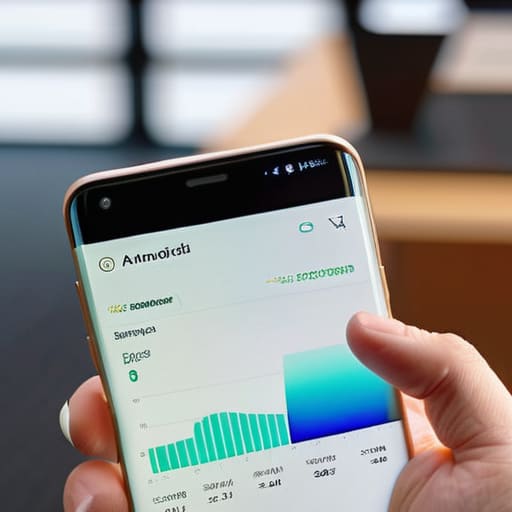
I see people spend hours picking the perfect hex code for their “Link in Bio” button, but they haven’t even checked if the button is actually clickable on a mid-range Android phone. We need to shift the focus from how a profile looks to how it actually performs. When I talk about conversion rate optimization for profiles, I’m not talking about making things pretty; I’m talking about the cold, hard math of how many people actually move from your bio to your website. If your layout is beautiful but your click-through rate is sitting at 0.5%, that design isn’t a success—it’s a distraction.
To get real results, you have to stop guessing and start looking at the data. This means moving past “I like this font” and into user experience bio testing. I want to know: Does a bulleted list of services outperform a short paragraph? Does a high-contrast button drive more clicks than a text link? You can’t know until you run a controlled test. Stop treating your profile like a digital scrapbook and start treating it like a functional gateway. If a design element doesn’t directly contribute to a user taking the next step, it’s just expensive noise that’s slowing down your load times.
The Bare Essentials of User Experience Bio Testing

Before you start moving buttons around for the sake of “vibes,” you need to decide what you are actually measuring. Most people fail at user experience bio testing because they try to track everything at once. I’ve seen accounts obsess over follower growth when they should be looking at click-through rates. If your goal is to sell a product or get sign-ups, your primary metric is the link click. Everything else is just noise. You aren’t looking for “likes” here; you are looking for people who actually take the next step in your funnel.
When you begin split testing design elements, keep your variables isolated. If you change your profile picture, your headline, and your link color all in one go, you have no idea which change actually moved the needle. I always recommend changing just one thing—usually the call to action or the primary link placement—and letting it run for at least a week. You need enough data to see a pattern, not just a momentary spike from a single viral post. Focus on the friction points where people drop off, and test ways to smooth them out.
Five ways to actually run a test without losing your mind
- Pick one single variable to change. If you swap the profile picture, the bio text, and the link destination all at once, you won’t know which one actually moved the needle. Change the text, keep everything else identical, and see what happens.
- Set a minimum sample size before you even start. I’ve seen people panic because a new layout “failed” after forty clicks. Unless you’ve had at least a few hundred people land on that page, the data is just noise.
- Test the “above the fold” real estate. Most people scroll right past the fluff. Test a layout where your primary call-to-action is visible without scrolling against one where it’s buried at the bottom. The difference in click-through rates is usually massive.
- Watch your load speeds on both versions. If Layout B looks beautiful but takes three seconds longer to render on a mobile connection, it’s going to fail the test regardless of how good the copy is. I always check the file sizes of my images before I even start a split test.
- Don’t ignore the “bounce” metric. A high click-through rate is great, but if people click your link and immediately leave because the bio promised something the landing page didn’t deliver, you haven’t won—you’ve just tricked them. Test for intent, not just clicks.
The three things you actually need to track
Stop obsessing over likes and start measuring the click-through rate on your primary link; if they aren’t clicking, your bio isn’t working.
Test one variable at a time—like your headline or your call-to-action—otherwise you’ll never know which change actually moved the needle.
Check your load speed on a mobile device with a poor connection, because a beautiful layout is useless if it takes five seconds to appear.
Stop guessing and start measuring

At the end of the day, split testing isn’t about finding the “prettiest” layout; it’s about finding the one that actually does its job. We’ve talked about stripping away the fluff, focusing on load speeds, and ensuring your call-to-action isn’t buried under three layers of unnecessary decoration. If you follow this process, you aren’t just moving buttons around for the sake of it—you are building a data-backed roadmap for your growth. Stop letting your gut feeling dictate your design. If a layout looks beautiful but your click-through rate is flatlining, that layout is a failure. Trust the numbers, not your eyes.
I know it feels tedious to set up these tests when you just want to get back to creating content, but this is the work that separates the hobbyists from the professionals. Every time you run a test, you’re learning exactly how your specific audience behaves, which is worth more than any expensive design agency’s opinion. Don’t aim for perfection on your first try; aim for incremental improvement. Start small, test one variable at a time, and keep that folder of “evidence” growing. Once you see the conversion lift from a simple button change, you’ll never go back to guessing again.
Frequently Asked Questions
How do I actually track clicks if I'm using a single link-in-bio tool?
If you’re stuck with a single link-in-bio tool, you have to stop looking at the “total clicks” number—it’s a vanity metric that tells you nothing. Instead, use UTM parameters. Append a unique string to the end of your URLs (like `?utm_source=bio&utm_campaign=layout_a`) for each version you test. This way, when you check your Google Analytics, you aren’t guessing; you’re seeing exactly which layout actually drove the traffic.
How long should I run a test before I decide one layout is actually better than the other?
Don’t pull the plug after forty-eight hours just because one version looks like it’s winning. You need volume. I always tell people to aim for at least 100 clicks per variation before making a call. If you stop too early, you’re just reacting to a random spike in traffic rather than actual behavior. Let it run for at least one full week to account for different browsing habits on weekends versus weekdays.
Do I need a huge following to get enough data for a split test to be meaningful?
No, and honestly, waiting for a massive following is just a way to procrastinate. If you have 500 loyal followers who actually click your links, that’s more useful than 50,000 bots. I’d rather see a clear trend in 100 clicks than wait six months for “statistically significant” data that arrives too late to matter. Start with what you have. If the data is thin, run the test longer, but don’t let perfection kill your momentum.
Should I change the entire design for the second version, or just tweak one specific element like the button colour?
Don’t change the whole design. If you swap everything at once, you won’t actually know what worked. Was it the new font, the different layout, or just the fact that you changed the photo? You’ll end up chasing ghosts.