

Twenty Minutes Every Three Months
I was sitting in a crowded cafe last Tuesday, trying to load a client’s link on a patchy 3G connection, when I realized the page took a full eight seconds to show anything other than a blank white screen. It wasn’t a design problem; it was a neglect problem. Most people treat their bio pages like set-it-and-forget-it decorations, but if you aren’t learning how to audit a bio page every quarter, you’re essentially leaving a broken door open for your customers. I’ve spent years collecting screenshots of broken links and bloated images in my “evidence” folder, and frankly, I’m tired of seeing brilliant creators lose leads to preventable technical friction.
I’m not here to talk about aesthetic color palettes or how to write a more “inspiring” mission statement. This guide is about the unglamorous, essential mechanics that actually keep your business running. I’m going to show you a practical, stripped-back framework for how to audit a bio page every quarter so you can ensure your links work, your load speeds stay fast, and your value proposition is actually readable. We’re cutting the fluff and focusing on the numbers that matter.
Table of Contents
The Quarterly Digital Presence Review Cutting the Fluff

When I sit down for a quarterly digital presence review, I don’t start with the colors or the font sizes. I start by deleting things. Most people treat their bio page like a scrapbook of everything they’ve ever done, but every extra button is just another way for a visitor to get lost and leave. I look at my most recent data and ask: “Is this link actually serving a purpose right now, or is it just taking up space?” If a campaign ended three weeks ago and that button is still sitting there, it’s dead weight. Cut the clutter so the user doesn’t have to think.
Next, I move into the actual mechanics of link in bio optimization. This is where I look at the numbers that actually matter, like your click-through rate analysis, rather than vanity metrics like “impressions.” I check if the most important destination—the one that actually drives revenue or sign-ups—is still the most prominent. If your traffic is spiking on a specific social platform but your landing page hasn’t been updated to match that specific audience’s intent, you are essentially leaving money on the table. A quick audit ensures your digital storefront actually matches the window display you’re showing people on Instagram or LinkedIn.
Link in Bio Optimization Does It Actually Work
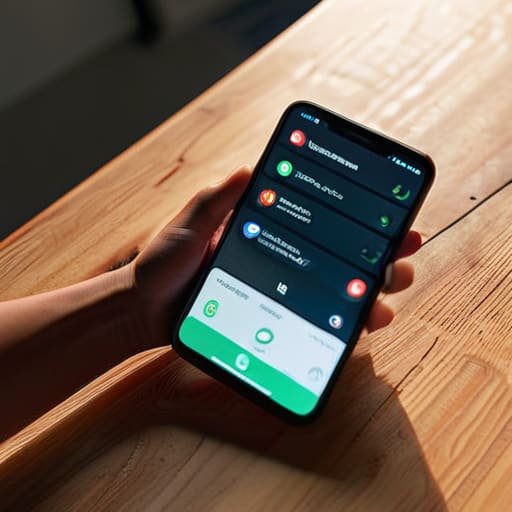
I’ve seen too many people spend hours tweaking the color of their buttons while their actual destination links are broken or leading to dead ends. During a social media landing page audit, the first thing I do isn’t looking at the aesthetics; it’s clicking every single link. If you’re running a promotion or a new launch, you cannot afford to have a user tap your link only to hit a 404 error or a generic homepage. It’s a massive waste of the attention you worked so hard to get.
Once you’ve confirmed the plumbing is working, you need to look at the data. This is where bio link conversion tracking becomes your best friend. I don’t care how “clean” the layout looks if your click-through rate is plummeting. If you have five different links competing for attention, you’re likely diluting your impact. I always recommend narrowing it down to the top two or three priorities. If a link hasn’t been clicked in three months, delete it. Your bio isn’t a museum of everything you’ve ever done; it’s a high-speed transit point designed to move people toward a specific action.
The 5-Point Checklist for People Who Actually Want Results
- Test your speed on a real phone, not your office Wi-Fi. Open your bio link while you’re walking or on a patchy connection; if the page takes more than three seconds to show your main call-to-action, you’re losing people before they even see your face.
- Audit your “dead ends.” Click every single button, icon, and link in your bio. I’ve lost count of how many times I’ve seen a “Contact Me” button that leads to a 404 error or an old, inactive social profile. If it doesn’t lead somewhere useful, delete it.
- Scrub the jargon from your headline. Read your first sentence out loud; if you sound like a corporate brochure, rewrite it. You have about two seconds to tell a stranger exactly what you do and why they should care, without using words like “passionate” or “synergy.”
- Check your “Social Proof” expiration dates. If you have a testimonial or a logo of a client you worked with in 2019, it’s time to swap it out or lose it. Outdated wins make you look like you stopped moving, and in this industry, if you aren’t moving, you’re invisible.
- Verify your primary goal. Every quarter, ask yourself: “What is the one thing I want people to do right now?” If your bio is trying to push a newsletter, a new product, and a podcast all at once, you’re actually pushing none of them. Pick one winner and make it the loudest thing on the page.
The Three-Point Checklist for Your Quarterly Audit
Test your links on a mobile device with a weak signal; if a page takes more than three seconds to load, you aren’t losing clicks, you’re losing people.
Strip away the “passionate storyteller” and “visionary leader” fluff to ensure your actual service or product is identifiable within the first five words.
Audit your analytics to see which links are actually driving traffic versus which ones are just decorative; if a button hasn’t been clicked in ninety days, delete it.
The Bottom Line

At the end of the day, a quarterly audit isn’t about finding new ways to be “creative” or adding more social proof widgets that slow down your mobile load time. It’s about the basics: checking that your links aren’t broken, ensuring your value proposition hasn’t become stale, and making sure your page actually loads in under three seconds on a decent connection. If you spend your audit time obsessing over hex codes instead of verifying your conversion paths, you’re wasting your time. Stick to the data, fix the friction points, and treat your bio page like the functional tool it is, rather than a digital scrapbook.
I know it feels tedious to go back through the same links and text every few months, but that’s exactly why most people skip it. That gap is where your growth lives. While everyone else is chasing the latest aesthetic trend or a new “growth-hacking” hack, you can win simply by being the person whose links actually work and whose message is clear the moment the page snaps into view. Don’t let your digital presence become part of my “evidence” folder of bad design. Keep it lean, keep it fast, and make it work.
Frequently Asked Questions
How do I know if my page is actually loading too slowly on mobile data without using a complex technical tool?
You don’t need a developer’s toolkit for this. Honestly, just pull your phone out, turn off your Wi-Fi, and go to a spot in your house with the worst signal you can find. Open your page. If you’re staring at a blank white screen for more than three seconds, you’ve already lost them. If the images pop in long after the text, your file sizes are too heavy. If it feels sluggish, it is.
What’s the quickest way to test if my links are broken without clicking every single one manually every time?
Don’t waste your afternoon clicking every single button. If you have more than five links, use a broken link checker tool like Dr. Link Check or even a simple Screaming Frog crawl. For a quicker, “I’m-on-the-move” version, just use a browser extension that scans for 404 errors. I usually run a scan once a quarter; it takes two minutes and tells me exactly which links are dead before a customer does.
If my bio is getting clicks but no one is actually signing up, which part of the page should I audit first?
If you’re getting clicks but no sign-ups, stop looking at your traffic and start looking at your friction. Your headline is doing its job, but your offer isn’t. Audit your value proposition first: does the very first line tell them exactly what they get, or is it just more vague branding? If the “what” is clear, check your form. If a user has to think for more than two seconds about what to type, they’re gone.
How often should I actually be updating the copy versus just checking that the technical stuff isn't broken?
Don’t touch the copy every quarter unless your actual job title or primary offer has changed. If you’re rewriting your bio every three months just to “stay fresh,” you’re likely just chasing noise. I treat copy like a structural wall and technical checks like the plumbing. Check the plumbing quarterly—links, load speeds, mobile responsiveness. Only repaint the walls when the message no longer matches the person standing in front of them.