
Everything a Journalist Needs in One Link
I was sitting in a cafe last Tuesday, staring at a “media kit” sent over by a client’s PR agency, and I felt that familiar twitch in my eye. It was a twenty-page PDF filled with high-res lifestyle shots, flowery adjectives that meant absolutely nothing, and a font size so small I needed a magnifying glass just to find their contact info. Most people think learning how to write a press kit requires a massive budget and a creative director, but in reality, they’re just burying the lead under a mountain of expensive fluff. If a journalist has to scroll through three pages of “vision statements” before they find your actual headshot and email address, they aren’t going to read it.
I’m not here to teach you how to make a pretty digital scrapbook. I want to show you how to build a tool that actually works when someone is in a rush. We’re going to focus on the high-impact, boring stuff: clear assets, functional links, and a bio that gets straight to the point. My goal is to help you strip away the decoration so you can create a kit that is fast, functional, and impossible to ignore.
Table of Contents
The Media Kit Essential Elements That Actually Work
When I look through my “evidence” folder, the biggest mistake I see isn’t a lack of content; it’s a lack of focus. Most people treat a media kit like a digital junk drawer, throwing in every photo and paragraph they’ve ever written. If you want to actually be useful to a journalist, you need to focus on the media kit essential elements that save them time. That means a concise bio that explains exactly who you are in two sentences, a clear list of your key achievements, and a direct way to contact you. If they have to hunt for your email address, they’ve already moved on to the next person in their search results.
Beyond the text, you need to provide the actual tools for the story. This is where people usually stumble by sending tiny, pixelated files that look terrible in print. You must include a folder of high-resolution media assets—headshots, product photos, or logos—that are ready to be dropped into a layout immediately. I also highly recommend including a basic company fact sheet template. It’s a boring way to say, “Here are the hard numbers and dates so you don’t have to guess.” Think of it as a service to the person writing about you; the easier you make their job, the more likely they are to actually hit publish.
Cut the Fluff With a Proven Company Fact Sheet Template
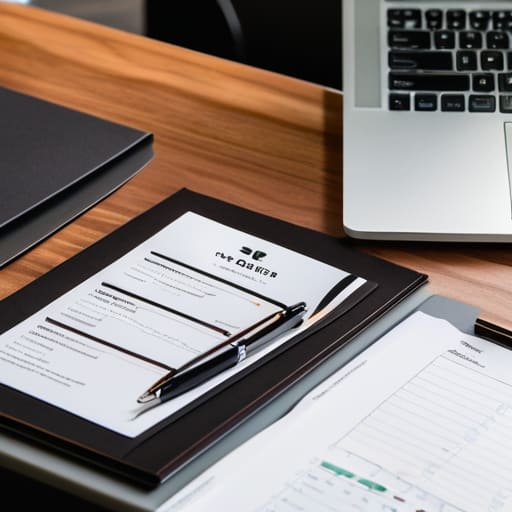
I’ve seen too many people treat their fact sheet like a corporate annual report. They include three pages of mission statements and “core values” that sound like they were generated by a committee in a windowless room. Journalists don’t want to read your philosophy; they want to know your numbers, your founding date, and exactly what problem you solve. If I can’t find your headquarters or your CEO’s name within ten seconds of opening the file, I’ve already moved on to the next tab.
When you’re building your company fact sheet template, think of it as a cheat sheet for a busy editor. Stick to bullet points. List your key statistics, your primary product categories, and any recent major milestones. It’s about providing the raw data that makes their job easier. The goal is to provide enough substance that they can write a paragraph about you without having to email you back for basic details.
Instead of trying to weave a complex narrative, focus on clarity. A good fact sheet is the backbone of your public relations toolkit because it delivers the “who, what, where, and when” without the filler. If you find yourself writing a paragraph longer than three lines, you’re probably adding fluff. Keep it lean, keep it factual, and keep it useful.
5 Ways to Stop Making Journalists Delete Your Email
- Test your links on mobile before you hit send. I’ve seen too many “professional” kits where the Google Drive link requires permission or the high-res photo folder takes three minutes to load on a 4G connection. If a reporter can’t access your assets in two clicks, they aren’t going to hunt for them.
- Stop using “visionary” and “disruptor” in your bio. These are empty words that tell me nothing about what you actually do. Tell me your revenue growth, your user count, or the specific problem you solved. Give me a hard number I can actually use in a headline.
- Organize your assets by use case. Don’t just dump a folder of 50 random headshots into a zip file. Label them clearly: “CEO_Headshot_Portrait_HighRes” or “Product_Lifestyle_Social_Square.” Make it so a busy editor can find exactly what they need without having to open every single file.
- Keep your “About Us” section under 200 words. A press kit is a reference tool, not a memoir. If I have to scroll through four paragraphs of your founding story just to find your contact details, you’ve already lost me.
- Include a “Quick Facts” sidebar. Journalists are often working against a deadline. A bulleted list of your location, founding date, key leadership, and core product allows them to grab the data they need for a sidebar or a caption without digging through your prose.
The Bottom Line: Three Rules for a Press Kit That Doesn't Waste Time
Stop writing biographies and start writing utility. A journalist isn’t looking for your life story; they are looking for the specific facts, dates, and stats that make their article easier to write.
Test your links like your career depends on it. There is nothing that kills professional credibility faster than a “Media Assets” folder that returns a 404 error or a Dropbox link that requires a password request.
Optimize for the skim. If a reporter can’t figure out exactly what you do and where to find your high-res headshot within ten seconds of landing on the page, you’ve already lost them to the next tab.
Stop Polishing and Start Publishing

At the end of the day, a press kit isn’t a trophy for your hard work; it is a tool for someone else’s convenience. If you’ve followed what we’ve discussed, you should have a lean, mean, fact-heavy document that tells a journalist exactly who you are without making them hunt for it. Remember: keep your company fact sheet concise, ensure your media kit elements are high-resolution but low-weight for fast loading, and for the love of all things functional, double-check every single link before you send it out. If a reporter clicks your contact link and gets a 404 error, it doesn’t matter how beautiful your headshot is—you’ve already lost the lead.
Building these assets can feel like a chore, especially when you’d rather be focused on the actual work of running your business. But think of your press kit as your silent representative that works 24/7, even when you’re offline or stuck on a train with no signal. Don’t aim for perfection that takes three weeks to build; aim for clarity that takes three minutes to read. Once you get the fundamentals right, you stop worrying about how you’re being perceived and start focusing on the opportunities that come your way. Now, go close that tab and actually launch the page.
Frequently Asked Questions
How often do I actually need to update these files to keep them from looking stale?
If you’re updating it every week, you’re overthinking it. If you haven’t touched it in a year, it’s probably broken. I aim for a quarterly checkup. Set a calendar reminder every three months to verify your stats, swap out old headshots, and ensure your links don’t lead to 404 errors. A press kit with 2022 data tells a journalist you aren’t paying attention. Keep it fresh, but keep it functional.
Should I include a link to my full portfolio, or is that just more clutter?
Include it, but don’t make it the centerpiece. I’ve seen too many press kits turn into a scavenger hunt where the journalist has to click three times just to see a single project. One clear, high-contrast link to your portfolio is fine. Just make sure it opens in a new tab so they don’t lose your press kit entirely. If your portfolio is slow to load, though, leave it out. Speed beats volume every time.
Is it worth creating different versions for different types of media, or is one master kit enough?
One master kit is a great starting point, but don’t stop there. If you send a 20-page deep dive to a busy journalist looking for a quick quote, you’ve already lost them. I always suggest having one “core” folder, but keep a few modular versions ready: a one-pager for quick inquiries and a more detailed version for long-form features. It’s about reducing the friction between their question and your answer.
How do I host the kit so it doesn't take forever to load on a mobile connection?
Stop trying to host a massive, high-res PDF on a Google Drive link that takes ten seconds to preview. If your kit is a single page, host it on a lightweight site builder or a simple static host. If you must use a PDF, run it through a compressor first. Most journalists are checking your links on a train with terrible signal; if your assets don’t load instantly, they’ll just move on to the next person.

