

A Refund Policy You Can Live With
I was sitting in a crowded café last Tuesday, staring at a client’s checkout page, when I saw it: a “Contact Us” button that led to a dead-end contact form instead of a clear way to get money back. It’s the same mistake I see constantly—brands treat how to handle refunds like a dark secret they need to hide behind three layers of confusing navigation and a “please wait 5-7 business days” disclaimer. They think complexity protects their bottom line, but all it actually does is destroy customer trust faster than a broken link on a mobile landing page.
I’m not here to give you a lecture on corporate policy or some bloated manual written by a legal team that’s never actually talked to a customer. Instead, I’m going to show you how to build a refund process that is fast, transparent, and functional. We’ll skip the growth-hacking nonsense and focus on the mechanics: making the button easy to find, automating the notification, and ensuring the user doesn’t feel like they’re being punished for a mistake. If you want a system that actually works on three bars of signal and keeps people coming back, this is how you do it.
Table of Contents
Refund Policy Best Practices That Actually Work
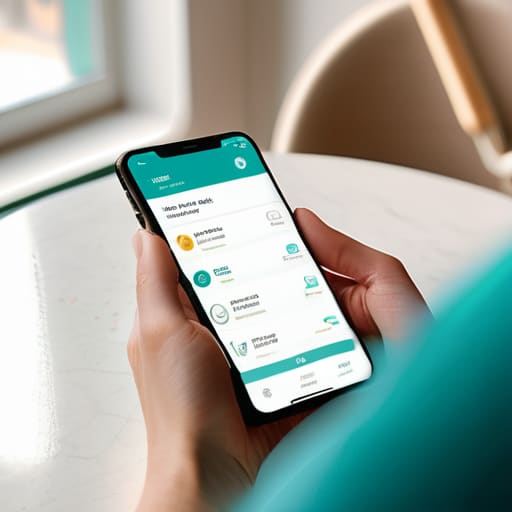
First, stop hiding your policy behind a wall of legal jargon. If I have to click through three sub-menus and read a paragraph of “heretofore” nonsense just to find out if I can get my money back, I’ve already decided I don’t like your brand. Good customer service refund protocols start with visibility. Put a direct link in your footer and your confirmation emails. When people feel like you aren’t trying to trap them, they actually trust you more. It sounds counterintuitive, but transparency is the fastest way to build long-term loyalty.
Second, automate the boring stuff so you can focus on the tricky cases. I’ve seen so many small businesses lose hours every week manually checking emails for basic inquiries. You should have a clear, step-by-step flow for managing refund requests that doesn’t require a human to intervene every single time. However, don’t automate so much that you lose the human touch when a genuine mistake happens. Use a system that flags high-risk patterns to help with preventing return fraud, but keep a “manual override” button for your loyal customers. A little bit of common sense goes much further than a rigid, unbreakable algorithm.
Managing Refund Requests Without the Friction

When a request hits your inbox, the clock starts ticking. I’ve seen too many small businesses turn a simple mistake into a customer service nightmare because their internal process is a mess of spreadsheets and manual emails. To do this right, you need clear customer service refund protocols that don’t require a meeting to execute. Ideally, your team should know exactly what they can approve on the spot and what needs a second look. If the process is clunky, you aren’t just losing money; you’re losing the person behind the transaction.
The goal is to make the actual processing of transaction reversals feel like a seamless part of the experience rather than a confrontation. I always tell my clients: if a customer has to jump through three hoops just to get their money back, they aren’t coming back for a second purchase. You can balance being fair with preventing return fraud by setting logical boundaries—like requiring a photo of a damaged item or a specific window of time—but keep those rules visible from the start. If you hide the “how-to” behind a wall of fine print, you’ve already lost the trust you worked so hard to build.
Five ways to stop your refund process from killing your brand
- Put the link where people can actually see it. I’ve seen too many brands hide their refund policy in a tiny font in the footer, buried under three layers of menus. If someone is looking for a refund, they are already frustrated; don’t make them hunt for the button like it’s a hidden Easter egg.
- Use plain English, not “legalese.” Avoid phrases like “pursuant to our terms and conditions regarding dissatisfaction.” Just tell them: “If it’s broken, we’ll fix it” or “If you don’t like it, return it within 30 days.” It saves everyone time and prevents a dozen support tickets.
- Automate the boring stuff. If you’re manually typing out the same “we have received your request” email fifty times a day, you’re wasting money. Set up a simple automated trigger that confirms receipt and gives them a clear timeline of when to expect their money back.
- Don’t hide the “Why.” When you ask for a reason for the refund, keep it to a simple dropdown menu. Don’t make them write an essay. I want to know if it was a shipping error or a product defect so I can fix the root cause, but I don’t need a novel.
- Close the loop immediately. The moment the refund is processed, send a final, short confirmation. The biggest source of anxiety for a customer is the “black hole” period between asking for money and seeing it hit their bank account. Clear communication ends the conversation so they can move on.
The bottom line
Stop burying your refund link in a 4,000-word legal document; if they can’t find it in ten seconds, they’ll just charge back through their bank instead.
Automate the boring stuff—use a simple form to collect the order number and reason so you aren’t spending your entire afternoon in a back-and-forth email chain.
Treat the refund as a customer service win, not a loss; a smooth return process builds more long-term trust than a perfect sale ever could.
Making it Stick

At the end of the day, handling refunds isn’t about the accounting—it’s about the user experience. If you’ve done the work we discussed, you’ve moved away from hiding your policy behind layers of legal jargon and instead built a process that is transparent and fast. You’ve prioritized a clear policy, reduced the friction in your request forms, and ensured that your team isn’t spending half their day playing detective just to figure out who is eligible for a return. When you stop treating a refund as a “loss” and start treating it as a critical touchpoint in your customer journey, you stop losing people to frustration and start building actual trust.
I know it feels counterintuitive to make it easy for people to give your money back, but I promise you, it works. A seamless refund process is often the very thing that turns a disappointed customer into a lifelong advocate. Don’t let a clunky, broken link or a hidden button be the reason someone never comes back. Keep your pages lightweight, your instructions direct, and your process human-centric. If you can make a refund feel less like a confrontation and more like a professional transaction, you’ve already won the long game. Now, go check those links and make sure they actually work.
Frequently Asked Questions
How much of a margin should I set aside to cover these costs without hurting my monthly cash flow?
Look, I’m not a CPA, but I’ve seen enough small business bank accounts hit zero to know that “guessing” is a dangerous game. I usually suggest setting aside 3% to 5% of your monthly revenue into a dedicated “oops” fund. If you’re in a high-return industry like cosmetics, lean toward 7%. It’s better to have that cash sitting there looking boring than to be scrambling for a loan because a batch of orders went sideways.
At what point do I stop being "helpful" and start identifying a customer who is clearly abusing the system?
Look for the pattern, not the single incident. One refund is a mistake; five refunds on five different accounts using the same IP address is a strategy. If your data shows a customer is consistently returning items right after a peak usage period or exploiting a specific loophole, stop being “helpful” and start being observant. You aren’t being mean; you’re protecting your margins. When the math stops making sense, it’s time to flag them.
Should I automate the whole process or keep a human in the loop to prevent mistakes?
Automate the repetitive stuff—like status updates and confirmation emails—but never the final decision. I’ve seen too many “automated” systems accidentally refund the wrong amount or trigger a loop that frustrates customers. Keep a human in the loop for the actual approval. It takes an extra thirty seconds to double-check a request, but that’s a small price to pay compared to the cost of fixing a systemic error that kills your brand’s trust.
How do I phrase a "no" so I don't end up with a one-star review or a public call-out on social media?
Don’t hide behind “policy” like it’s a shield; people smell a canned response a mile away. If you have to say no, lead with the “why” before the “no.” Instead of “Per our policy, we cannot…” try “Because we [reason], we aren’t able to do X, but I can offer you Y instead.” It’s about trading a hard wall for a pivot. A small, proactive concession usually kills the urge to post a nasty review.

