

A Photo That Works as a Circle
I was sitting in a coffee shop last Tuesday, scrolling through a client’s new landing page, when I saw it: a high-resolution, studio-lit headshot that looked like it belonged on the cover of a luxury watch magazine. It was beautiful, sure, but it was also completely useless because it took four seconds to load on a mobile connection and didn’t actually tell me what the person did. Most people think they need a professional photographer and a three-hour lighting setup to figure out how to pick a profile picture, but that’s just expensive noise. In reality, a photo that’s too “produced” often creates a barrier between you and your audience rather than a bridge.
I’m not here to talk about color theory or the best camera lenses for portraiture. Instead, I want to give you a practical framework based on what actually converts when someone lands on your page. We’re going to focus on the boring, essential stuff: clarity, recognition, and speed. I’ll show you how to select an image that works hard for you without requiring a production budget, ensuring your face is recognizable even when someone is scrolling through a feed on a patchy 3G connection.
Table of Contents
The Truth About Social Media Branding and Instant Clarity

We need to stop pretending that a profile picture is just a decorative element. In reality, it is the very first data point someone processes when they land on your page. When I’m scrolling through a feed or looking at a link in a bio, I’m making a split-second decision about whether to trust the person behind the text. If your image is a blurry group shot from a wedding or a low-res selfie with a heavy filter, you’ve already lost that micro-moment of trust. Effective social media branding isn’t about looking like a polished celebrity; it’s about reducing the cognitive load for the person looking at you.
The goal is instant recognition. I’ve seen too many people try to be “artsy” with shadows or extreme angles, but if I can’t tell it’s you within half a second, the image has failed. You want to lean into basic facial recognition photography principles: clear eyes, a centered face, and a background that doesn’t compete for attention. Think of your photo as a visual shorthand for your personal brand identity. It shouldn’t tell a complex story; it should simply confirm that the person I’m about to read is real, professional, and exactly who they claim to be.
Why Your Avatar Composition Rules Matter More Than Aesthetics

We spend way too much time debating whether a filter looks “vibey” or if the background color matches our brand palette. That’s a distraction. In reality, your avatar is a tiny, low-resolution thumbnail that needs to function under pressure. When someone is scrolling through a fast-moving feed or a crowded comment section, their brain isn’t looking for art; it’s looking for a human face. This is where avatar composition rules actually do the heavy lifting. If your face is too small or buried in a landscape shot, you aren’t building a connection—you’re just adding visual noise.
I’ve seen countless profiles where the person looks great in the full-sized image, but once it’s shrunk down to a circle, they become an unrecognizable blob. To avoid this, you need to prioritize facial recognition photography. This means keeping your head and shoulders centered and ensuring your eyes are clear and visible. It’s not about having a studio-grade setup; it’s about making sure the viewer can identify you in less than a second. If your composition doesn’t facilitate that instant recognition, your personal brand identity will always feel a little bit blurry, no matter how expensive your camera was.
Five ways to stop losing people before they even read your bio
- Focus on the eyes and the framing. I’ve seen too many people use headshots taken from ten feet away where they look like a tiny, blurry dot in a sea of background. If your face doesn’t take up at least 60% of the frame, you aren’t building trust; you’re just providing a puzzle for people to solve.
- Check your contrast against the platform’s UI. A dark, moody photo might look great on your desktop, but once it’s shrunk down to a tiny circle on a white Twitter feed or a dark mode Instagram interface, it often turns into an unrecognizable smudge. You need enough separation between your silhouette and the background so you actually stand out.
- Kill the busy backgrounds. I keep a folder of “evidence” featuring people posing in front of cluttered bookshelves or crowded cafes. It’s not about being fancy; it’s about reducing cognitive load. If the viewer has to spend even half a second figuring out where you are, they’ve already stopped thinking about what you do.
- Test the “squint test” for legibility. Shrink your photo down on your screen until it’s about the size of a thumbnail, then squint. If you can’t immediately distinguish your facial features from the colors around you, the photo is a failure. It needs to work on a cracked phone screen with three bars of signal, not just on a high-res monitor.
- Match the lighting to the intent, not the vibe. You don’t need a studio setup, but you do need even light. Harsh shadows cutting across your eyes make you look unapproachable or, worse, like you’re hiding something. Aim for soft, natural light that illuminates your face clearly so the person on the other end feels like they’re meeting a real human.
The three things that actually matter
Prioritize instant recognition over high-end production; if I can’t tell it’s you in half a second, the photo has failed.
Use a composition that leaves room for the UI; don’t let your head get cut off by the circular crop that every platform uses.
Treat your photo as a functional tool, not a piece of art—it needs to convey your role clearly enough that people don’t have to hunt through your bio to figure out who they’re talking to.
Stop overthinking the pixels
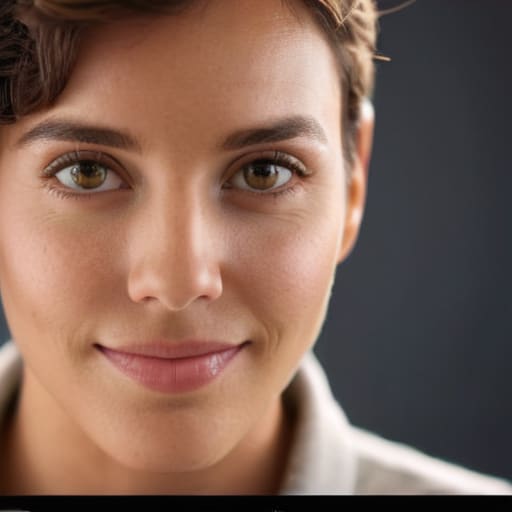
At the end of the day, a profile picture isn’t a piece of fine art; it’s a functional tool for recognition. We’ve covered why you need to ditch the busy backgrounds, why your face needs to actually be visible in that tiny circle, and why clarity beats cleverness every single time. If your photo requires a zoom lens to figure out who you are, or if it’s so heavily filtered that you look like a different person in real life, you are creating friction. Your goal is to make the connection between your name and your face as seamless as possible so that when someone lands on your page, they instantly know they are in the right place.
Don’t let the pursuit of the “perfect” shot keep you stuck in a loop of indecision. I have seen people spend weeks debating hex codes for their brand colors while their profile picture is a blurry, low-res crop from a wedding photo. That is wasted energy. Pick a clean, well-lit shot that represents who you are professionally today, set it live, and move on to the work that actually moves the needle. A good photo is a foundation, not the entire building. Once you have achieved basic visual clarity, stop tweaking and start showing up.
Frequently Asked Questions
Do I really need a professional headshot, or can a high-quality phone photo do the job?
You don’t need a professional headshot, but you do need a photo that doesn’t look like a mistake. I’ve seen perfectly good landing pages ruined by grainy, low-light selfies that scream “unreliable.” If you have a modern phone and decent natural light, you’re fine. Just avoid the bathroom mirror selfie or the cropped wedding photo where your shoulder is visible. Aim for clarity and good lighting; if the file size is small and the focus is sharp, a phone photo works just as well as a studio session.
How much of my face should actually be in the frame to make it work on a tiny mobile screen?
If you’re looking at your photo on a laptop, it might look fine. But on a phone, that person is a tiny circle. If you’re standing ten feet away in a landscape shot, you’re just a blurry speck. Aim for a “head and shoulders” crop. Your face should occupy about 60% of the frame. It gives people enough detail to recognize you instantly without making the image feel uncomfortably zoomed in.
Should I be using a solid color background or something more "lifestyle" and contextual?
If you’re running an ad or a high-traffic landing page, go with a solid color. It reduces visual noise and makes your face the only thing the eye has to process, which helps with recognition. Lifestyle shots are fine for your personal Instagram, but they often fail the “three bars of signal” test—if the background is too busy, you just look like a blurry shape on a small screen. Keep it simple.
Does it actually matter if my profile picture looks different across LinkedIn, Instagram, and X?
It matters more than you think. If I see a professional headshot on LinkedIn and then a blurry vacation photo on X, my brain does a split-second double-take. That tiny moment of friction is where you lose people. You don’t need a different “vibe” for every platform, but you do need visual consistency. Keep the same face and the same lighting across all three. It makes you instantly recognizable, even when you’re just a tiny circle in a comment thread.

