

Your Banner Is Cropped on Phones
I was sitting on a crowded train last Tuesday, trying to glance at a client’s new landing page, when I realized I couldn’t actually read the main offer. The hero image was a high-res masterpiece that took forever to load on my patchy 3G signal, and the text was so tiny I had to squint just to find the call-to-action. It’s the same mistake I see constantly: people spend thousands on “aesthetic” graphics while completely ignoring how to design a banner that works on mobile. If your banner is just a beautiful, heavy file that hides your message behind a slow load time, you aren’t marketing—you’re just wasting bandwidth.
I’m not here to talk about trendy gradients or the latest design software fluff. Instead, I’m going to show you the practical, unglamorous mechanics of mobile conversion. We are going to focus on font legibility, button tap targets, and file sizes that won’t make your users bounce in frustration. My goal is to give you a checklist of boring, functional truths that ensure when someone lands on your page, they actually know what you do and how to buy it.
Table of Contents
Prioritize Mobile First Visual Hierarchy Over Pretty Colors

I’ve spent far too many afternoons staring at “beautiful” brand banners that look like a crime scene once they hit a smartphone screen. Designers love to talk about color palettes and brand aesthetics, but if your most important information is buried under a mountain of decorative gradients, you’ve already lost. On a five-inch screen, you don’t have the luxury of subtlety. You need a mobile-first visual hierarchy that forces the eye to follow a logical path: Who are you, what are you offering, and where do I click?
If you can’t glance at your banner for two seconds and understand the offer, it’s failed. This means optimizing text readability on small screens is more important than picking the perfect shade of teal. I’ve seen countless campaigns bleed budget because the headline was too small to read or the contrast was so low it practically vanished in sunlight. Stop trying to make the banner a piece of art and start treating it like a signpost. You need high contrast, massive headers, and a clear, singular focal point. If everything is bold, nothing is bold.
Why Responsive Banner Design Principles Actually Matter

We talk about “responsive design” like it’s a magical setting you just toggle on in your design software, but in reality, it’s about respect for the user’s context. When I’m scrolling through a feed on a train with a spotty connection, I don’t have the patience for a banner that forces me to pinch and zoom just to find the link. If you ignore responsive banner design principles, you aren’t just making a “small version” of your desktop ad; you are fundamentally changing how a human interacts with your brand. A desktop user has a precise cursor; a mobile user has a thumb that is significantly less accurate.
This is why things like touch-friendly call to action design aren’t just “nice-to-haves”—they are the difference between a conversion and a frustrated exit. If your button is a tiny sliver of color that’s impossible to tap without accidentally hitting the “close” icon, you’ve failed. I’ve seen too many brands spend thousands on high-res photography only to have the entire message swallowed by the wrong aspect ratio. You have to account for how the frame shifts. If you aren’t planning for how the content reflows across different screens, you aren’t designing; you’re just guessing.
Five ways to stop wasting your mobile real estate
- Test your button size with your actual thumb. If you have to zoom in or squint to figure out where to click, you’ve already lost the visitor. A button should be a clear, easy target, not a precision exercise.
- Cut your copy by half. On a desktop, you can get away with a poetic sentence; on a mobile screen, that sentence is just a wall of text that pushes your call-to-action below the fold. If it doesn’t add immediate value, delete it.
- Watch your file sizes like a hawk. I’ve seen beautiful high-res banners kill a conversion rate simply because they took five seconds to load on a patchy 4G connection. If it isn’t compressed, it isn’t working.
- One goal, one button. Don’t try to link to your Instagram, your latest blog post, and your shop all in one banner. Pick the one thing you want them to do and make that the only obvious choice.
- Check your contrast ratios in real-world lighting. A banner might look great in a dark office, but if someone is checking your link outside in the sun, they won’t be able to read your text. High contrast isn’t a suggestion; it’s a requirement.
Three things to check before you hit publish
Test your button size with your thumb, not your cursor; if someone can’t tap it easily while walking or holding a coffee, it’s a broken link in disguise.
Audit your image file sizes to ensure the page loads on a shaky 3G connection, because a beautiful banner is useless if the user has already scrolled past a blank white box.
Strip away the fluff and ensure your value proposition is readable in under two seconds, otherwise you’re just paying for digital clutter that nobody is reading.
Stop Decorating and Start Designing
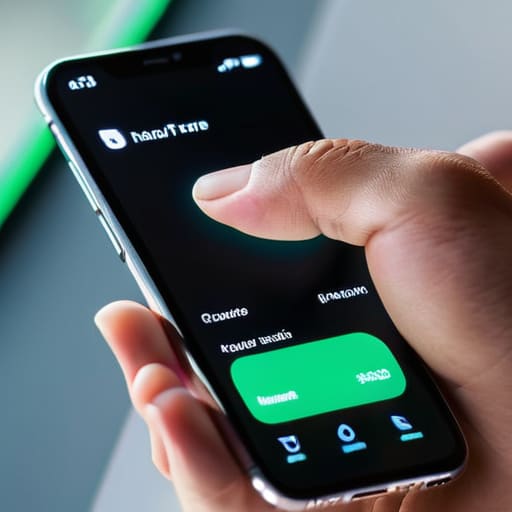
At the end of the day, a mobile banner isn’t a piece of art; it’s a functional tool. If you’ve followed what we’ve discussed, you’re already ahead of most of the “evidence” folder sitting on my desktop. You aren’t just picking a color palette; you are prioritizing loading speeds, ensuring your hierarchy makes sense on a five-inch screen, and making sure that call-to-action button is actually large enough for a human thumb to hit. If your design forces a user to squint or wait through a three-second lag just to figure out what you’re selling, you haven’t designed a banner—you’ve built a barrier.
Don’t let the pursuit of a “perfect” aesthetic trick you into making something useless. I have seen countless beautiful, high-resolution designs fail simply because they ignored the reality of a user standing on a crowded train with one bar of signal. My advice is to keep testing, keep stripping away the fluff, and always view your work through the lens of a distracted, impatient stranger. When you stop trying to impress people with decoration and start focusing on clarity and speed, you’ll finally see the conversion numbers move in the right direction.
Frequently Asked Questions
How do I test if my banner is actually loading fast enough on a slow connection without using complex software?
Forget the heavy diagnostic tools for a second. The simplest way to test this is the “Train Station Method.” Pull up your page on your own phone while you’re on cellular data—not the office Wi-Fi—and see if it feels sluggish. If you’re staring at a blank space for more than two seconds before the image pops in, you’ve already lost them. If it feels heavy to you, it’s broken for your customers.
Is there a specific minimum size my call-to-action button needs to be so people don't accidentally click the wrong thing?
Look, if I can’t hit the button with my thumb while walking through a crowded station, it’s too small. Don’t guess; aim for at least 44 by 44 pixels. That’s the industry standard for a reason. More importantly, give the button some breathing room. If your CTA is huddled next to a link or a social icon, people will click the wrong thing and leave frustrated. Space isn’t wasted; it’s insurance against lost conversions.
When should I actually ditch the high-res hero image entirely to save on load times?
Ditch the high-res hero the moment your page weight starts killing your conversion rate. If you’re targeting users on spotty 3G or if your “stunning” image takes more than two seconds to render, you aren’t showing off—you’re losing customers. I always suggest switching to a clean, high-contrast typographic layout or a simple CSS gradient when the goal is speed. A fast-loading headline beats a beautiful image that never actually appears.
How do I know if my text is still readable on a small screen without checking every single device type manually?
You don’t need a dozen devices; you just need a browser and a bit of common sense. Open your page in Chrome or Safari, hit ‘Inspect,’ and toggle the device toolbar. But honestly? The best test is the “thumb squint.” Shrink your browser window until it’s the width of a phone. If you have to zoom in to read your headline or if the text looks like a wall of grey mush, it’s failing.

